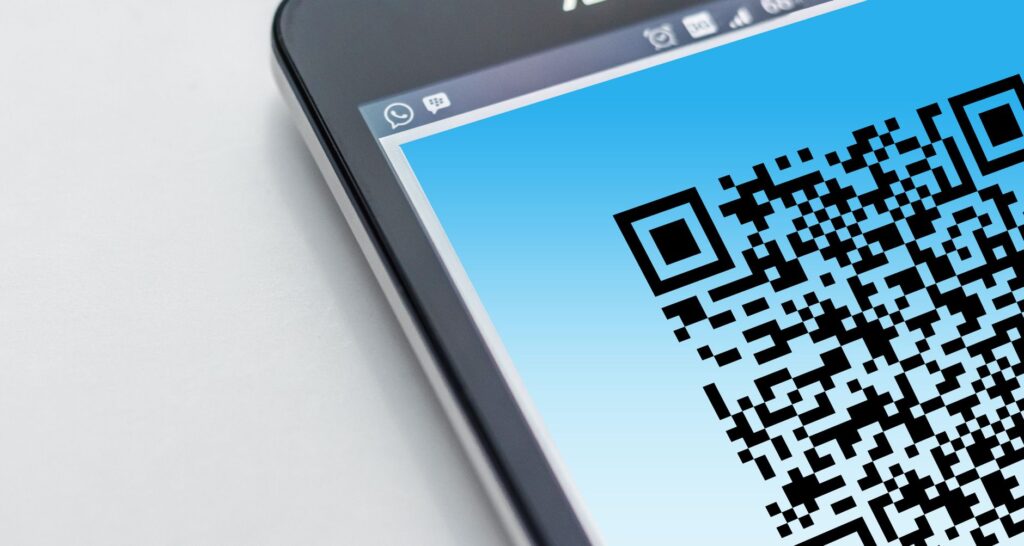
Private QR Maker is a free QR code generator that lets you create QR codes rihgt in your browser. It works for links, Wi Fi, menus, contacts, SMS, email, phone numbers, plain text and calendar events.
You wont need an account to use it. The tool also promises that your data never leaves your browser.
And If you want a scannable code quickly, just select the content type.
Then fill in the fields, generate the code. And export it as PNG or SVG.
A good QR code is more then just a simple image.
The type of content you include affects privacy, printing and scanning. So Think about what happens months later. When the code stays on a wall or sign.
Free QR codes created privately, right in your browser
Private QR Maker handles common tasks like making a café’s menu accessible or.
Sharing Wi Fi info for an event. And Marketers might want a custom colored code on print ads. It adds up.
Website owners can even embed the QR Maker on their page. i mean, it’s part of the Buildarity Suite.
It’s designed to be easy to use, no account needed.
What really sets it apart is privacy. All codes are generated completely in your browser.
No server, no tracking. Honestly, here’s expecially importent if your QR holds a Wi Fi password, a contact’s.
Details, a pre filled SMS message, or private event info.
If you want a QR code generator. With zero sign up hassle, this tool fits the bill.
Honestly Website owners also get the embed code.
You can add a QR Maker snippet to put the full tool directly on your page.
Pick the right QR code type before you start
The best QR code is usually the shortest one that fits your purpose.
Like, a menu QR code generator often uses a website URL. That way, poeple scan it to see your live menu or ordering page. Instead of typing out the whole menu in a text code, that’s it.
That’s really all theres to it.
| situation | Choose this type | Fields to check | Watch for |
|---|---|---|---|
| Website, menu, ordering page, landing page | URL | Website URL | Make sure to use the final page address you want people to visit. |
| Guest network sign | Wi Fi | Network name (SSID), Password, Security type, Hidden network | Choose WPA / WPA2, WEP, or None to match your network. |
| Business card replacement | Contact | First name, Last name, Company, Website, Address, email | Check spelling carefully before printing a contact QR code. |
| Pre filled message | SMS or Email | Phone number, Pre filled message, To address, Subject, Body | Avoid including anything you wouldn’t want others to see. |
| Phone call shortcut | Phone | Phone number | Enter the number exactly as you want it dialed. |
| Calendar invite | Event | Event title, Start, End, Location, Description | The event format includes VCALENDAR and VEVENT labels. |
| Short note or code | Text | Plain text content | Keep text short to avoid “Content too long or invalid” errors. |
How to create a QR code with Private QR Maker
- Open Private QR Maker and find the QR content section.
- Pick a type like URL, Contact, Email, SMS, Text, Phone, Event, or Wi Fi.
- Fill in the fields that match your choice. For URLs, add the Website URL. For Wi Fi, enter Network name, Password, Security type and Hidden network if needed.
- For contacts, enter First name, Last name, Company, Website, Adress, and email as you want them.
- For email, SMS, or phone codes. Fill in To address, Subject, Body, Phone number, or Pre filled message.
- To add an event, include Event title, Start, End, plus optional Location or Description.
- Adjust Appearance settings such as QR color, background, and error correction.
- Click Generate QR Code. Well, the app will tell you if any required fields are missing.
- When your QR code appears, export it as PNG or SVG. Or copy the image.
The free plan may add a small “Made with buildarity.com” watermark. You can pay for a QR Maker upgrade to remove it.
Privacy model: what stays in your browser and what does not
Private QR Maker says your data never leaves your browser. It also mentions that no server is involved in QR generation. So there’s no tracking. Honestly This makes it a good choice if you’re working with sensitive info. Thnik about it.
But, it asks you to upload contact data or save your project to an account. And That trade off might be worth it.
The QR code itself holds the data you typed in. Look, If you print a Wi Fi QR code on a public sign. Anyone can scan it.
By scanning the code, they get whatever info is encoded.
This works well for places like restaurants or cafés.
Usualy, I prefer guests to use a guest network. Instead of my private work network.
It’s teh same idea for calendar events.
If you plan to post a QR code. At a venue entrance, keep the Description field brief. Only include details that belong on a public sign.
Customize QR color, background, and error correction
Private QR Maker lets you change QR color, background and error correction in Appearance settings. The default background is #ffffff. That is a smart choice becuase high contrast prints beter.
It’s easier to scan a dark color. On a light background than pale colors against each other.
Be cautious with brand colors. Truth is, a dark QR color on a light background works best. Pastel combos with low contrast can cause problems.
If you put the code on a busy poster, give it enough space. So it’s easy to spot. Avoid cramming it into a tight corner.
Error correction has levels labeled L, Low, M, Medium, Q, High adn H, Max. I mean, Higher correction levels help the QR code survive small damage or print flaws.
But error correction won’t fix a wrong URL, a mistyped SSID, or a. QR code that’s too small to scan.
If you get a “Content to long or invalid” message, try reducing what. Thing is, you enter instead of forcing the design settings.
Export as PNG or SVG and copy the image
You can export your QR code as PNG, SVG, or copy the image. PNG is great for fast use. Like dropping it into a document or.
Sending it to someone for checking. SVG is better for print since it scales wihtout becoming blurry.
SVG works well in design software because it’s vector based.
The app aslo lets you open the image in a new tab. And If right click save options don’t show. Use the browser’s save as function in taht new tab.
Private QR Maker has PNG and SVG exports. Well If you need to convert image files. Before adding the QR to a layout, try Private Image Converter. Look it’s handy if you’re turning menu photos into PDFs. Before you link them.
Also, if you want to create a file from URL QR code. Private Photo PDF Maker is the tool for that extra step.
Limits to know before you print or share
- You must fill in required fields before creating your QR code.
- Very long or invalid content may cause errors like “Content too long or. Invalid”, try using less text then.
- The free version may add a “Made with buildarity.com” watermark to your QR code.
- Once printed, a QR code can’t be fixed if it has typos.
- If you need scan counts or reporting, consider a diffrent tool before printing.
- Test your final QR code on the devices your audience will use. Before ordering signs or flyers.
For menus, a URL QR code works best if your menu changes often. You can update the webpage at that link whenever needed.
The printed code still points to the same URL.
If you put the menu text directly into the QR code, remember tihs breaks. If the menu changes.
You’ll need a new QR code each time you update the text.
Common QR code mistakes and how to fix them
The app says Fill in the required fields first
Make sure you fill in the missing field for the type you picked. For a URL, enter the Webiste URL. Well, For Wi Fi, add the Network name, SSID and correct security details. If it’s an event, include the Event title, Start, and End times.
The app says Content too long or invalid
Try cutting down the text or switch to a URL that leads to the full content. This trick really helps. Wiht menus, event descriptions and large text notes.
The Wi Fi QR code does not connect
Double check the exact Network name, SSID, Password, Security type, and Hidden network setting. A mismatch between WPA/WPA2, WEP, or None can cause the QR code to. Fail, even if it looks correct.
The QR code is hard to scan after design changes
Use a darker color for your QR code. And keep the background light, white, #ffffff, works well. Don’t place the code over busy backgrounds.
Avoid makign it so small that the squares blur together when printed.
The exported file looks blurry in print
When resizing is needed, go for an SVG file. PNG works for quick uses.
Stretching a PNG can make it look fuzzy. On posters or menu boards. Simple as that.
The QR opens the wrong destination
If the QR directs to the wrong place, regenerate it using the correct. Website URL, phone number, email, or event info.
Make sure to fix this before printing. Since the print shows exactly what was generated.
Frequently asked questions
Is this free QR code generator actually free?
Yes.
Private QR Maker is free to use and doesnt need a account. The free plan may add a “Made with buildarity.com” watermark.
You can pay to remove that watermark.
Thats the idea.
Is Private QR Maker a private QR code generator?
Private QR Maker creates QR codes entirely inside your browser. Also your data never leaves your device, no servers or tracking involved.
Can I use it as a Wi Fi QR code generator?
Yes. And the Wi Fi options let you enter Network name, SSID, Password, Security type and Hidden network settings.
Security types include WPA/WPA2, WEP, and None.
Can I use it as a contact QR code generator?
Yes. Contact fields include First name, Last name, Company, Website, Address, and Email.
Check your contact info carefully. Typos in printed codes mean youll need to print a new one.
So No joke.
Can I make a calendar event QR code?
Yes. Event fields include Event title, Start, End, Location and Description. The QR code uses VCALENDAR and VEVENT labels for calendar apps.
Can I change a QR code after printing it?
Once printed, the QR pattern cant change.
If the info inside is wrong, make a new QR code and replace the old one.
If the QR links to a webpage you own, you can update that page. But the QR stil goes to the same URL. That’s how it works.
Choose the right QR type for your task. Put in the shortest, accurate content and use a high contrast design.
Export an SVG for print or a PNG for quick sharing.
And before you print or display it. Scan the final code yourself, it’s a big difference.
Try It Free: Private QR Maker
Create QR codes for links, Wi-Fi, menus, contacts, SMS, email, and calendar events.
Open Private QR Maker →